
The field service software for machine manufacturers, distributors, and rental companies
Request a 30 minute demo
30 minutes, based on your own situation. No obligation.
From customer request to work order report: tickets, remote diagnostics, technician scheduling, and history for every machine.
- Connected to your ERP: Sage, SAP, Odoo, Microsoft Dynamics, Business Central, Codial, OpenProd and others
- Technician app for iPhone and Android
- Rated 4.9/5 by its clients






Is your field service still running on emails, a spreadsheet, and team memory?
Scattered requests
Customers call, write, and follow up. Yet, nobody sees the big picture, and a forgotten request turns into an unhappy customer.
Ill-prepared visits
The technician leaves without the right diagnosis or the correct part. As a result, they return a second time for the same breakdown.
Missing history
Work done on a machine is recorded in a paper report, an email, or a technician's memory. Finding it when needed becomes impossible.
A field service software that tracks requests from start to finish
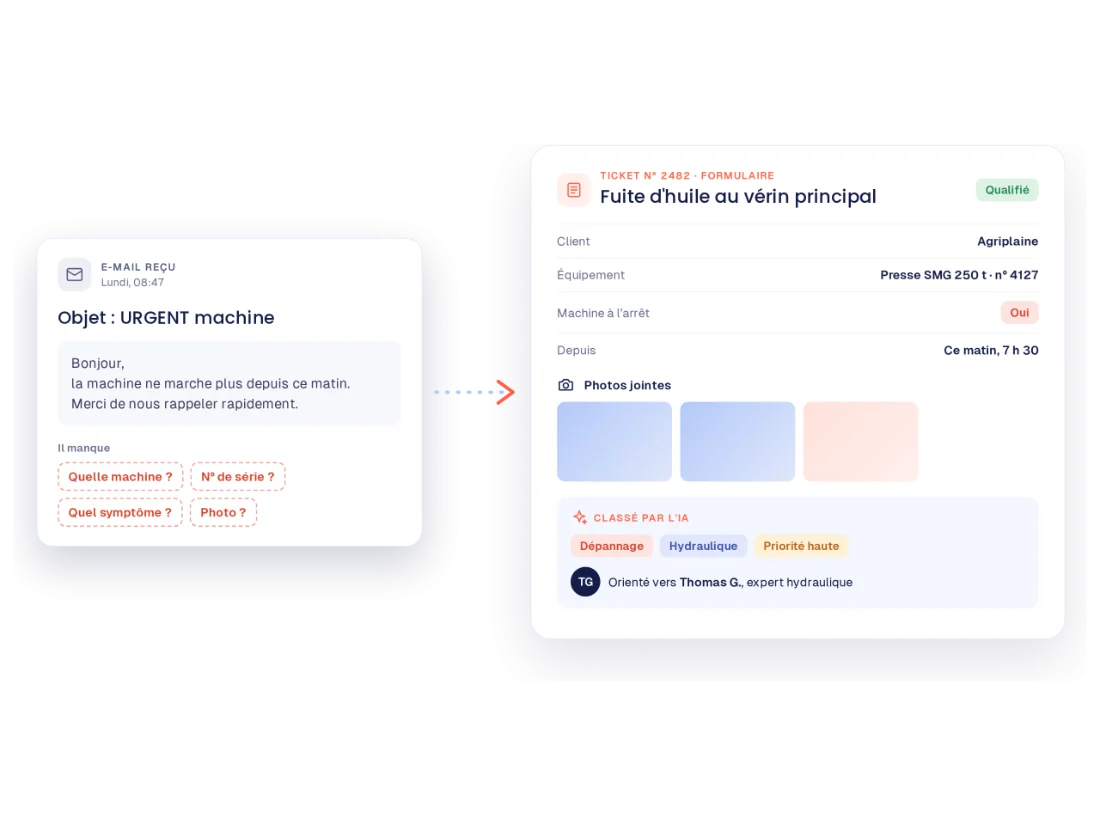
Requests arrive qualified
Via email or a form accessible by a QR code on the machine. An email becomes a ticket in one click, already filled out by the AI.
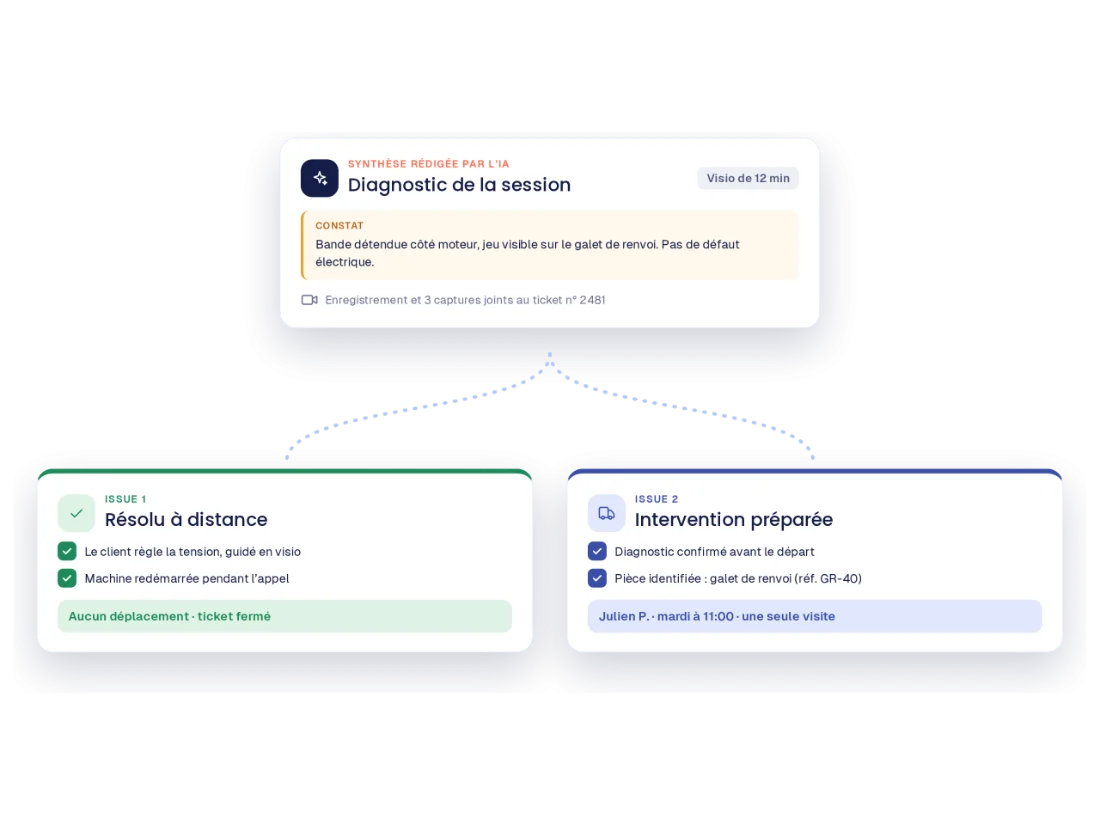
Diagnostics are handled remotely
Next, your team invites the customer to a video support session via text message or email, assesses the machine, and then decides whether to resolve the issue remotely or send a technician.
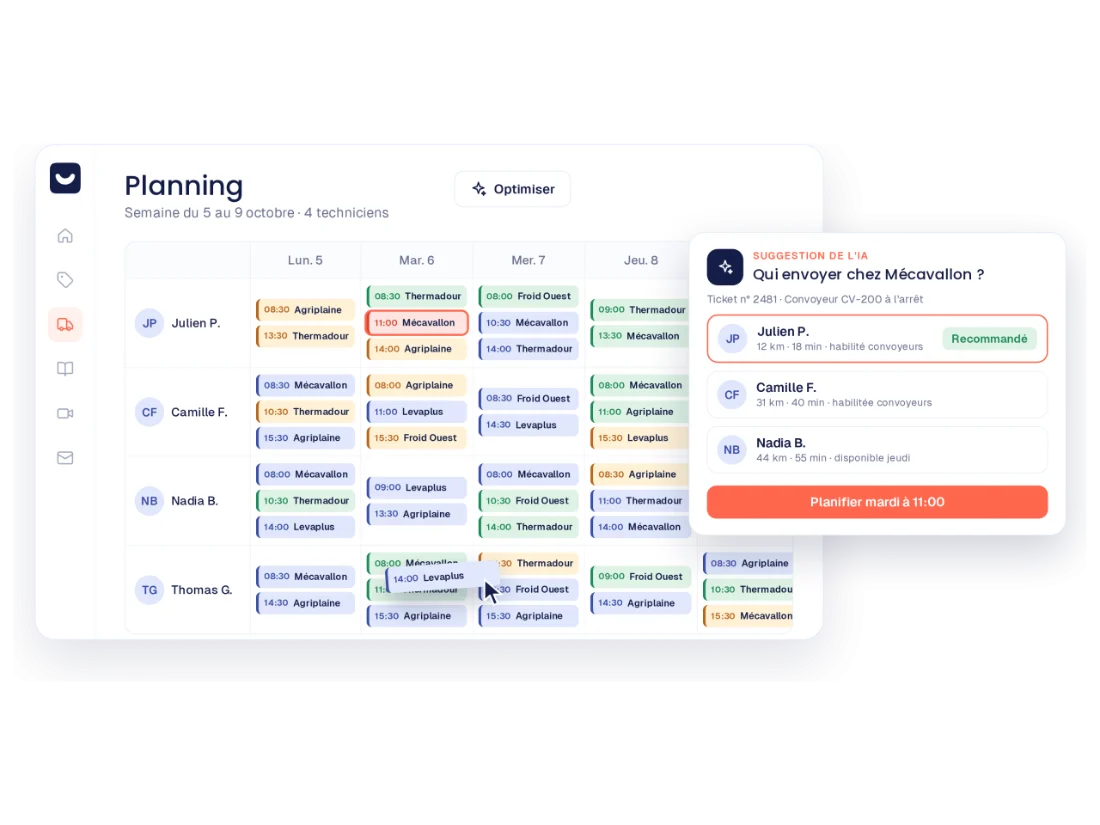
Visits are scheduled
The scheduler then suggests a technician based on skills and location. Customers can also be notified automatically of arrival times.
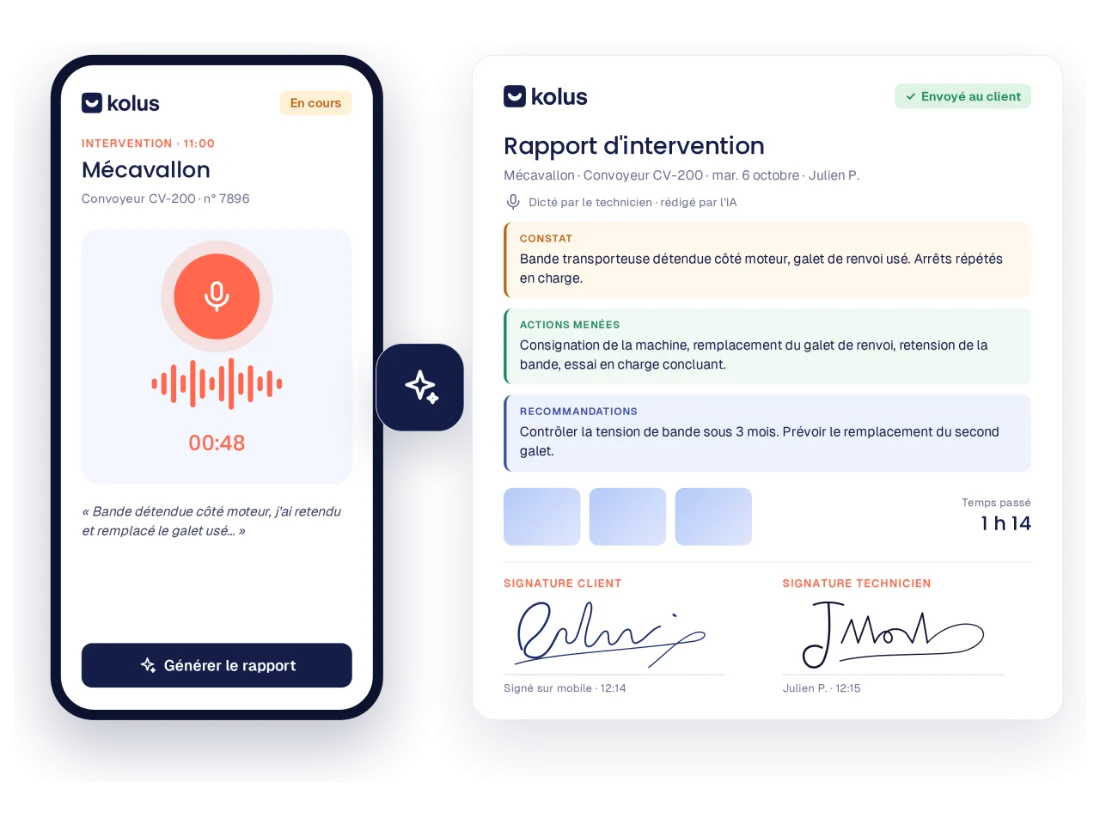
Reports are written on site
Photos, client signature, and voice notes are handled through the mobile app. Finally, the report and used parts sync back to your ERP.
Three modules, available together or separately
Incident Management (FSM)
Scheduling, routes, mobile app, and work order reports for your technicians.
Service ticketing and video assistance
Each customer request becomes a tracked ticket. With included video assistance, you can also see the breakdown before dispatching a technician.
Discover video assistance →Knowledge management
Technical documentation and technician expertise accessible to the entire team.
Designed for machine and equipment field service
Manufacturers
Track your installed base by serial number:failures, past service calls, and parts used for each machine.
Distributors
Manage multiple brands using brand-specific forms and dashboards, and invite the manufacturer into a ticket when necessary.
Rental companies
Track regulatory inspections and contract renewals using alerts, site by site and equipment by equipment.
Connected to your tools and implemented alongside you
Your data flows smoothly with your ERP system
The equipment inventory, customers, and contacts come from the ERP system. Service reports and parts used are then sent back to the ERP system for billing and inventory tracking. Kolus also integrates with Gmail and Outlook.
A dedicated project manager supports you
Configuration, data migration (customers, machine park, service history), and team training until full adoption by technicians.





 and others
Frequently asked questions about field service software
What is field service software?
An field service software centralizes customer requests after the sale, including breakdowns, technical questions, parts requests or service calls. It then tracks each request until resolution, while keeping a history by customer and machine.
What is the difference between an field service software and a CMMS?
A CMMS is used to maintain a company’s own equipment at its own facility. In contrast, after-sales service software is used to troubleshoot machines installed at customers’ sites. Kolus is therefore after-sales service software: it does not replace a CMMS.
Kolus Is it also a FSM program?
Yes. The FSM (Field Service Management) covers service operations: scheduling, service calls, and reports. However, service management software begins earlier—as soon as the customer makes a request and a diagnosis is performed. Kolus is therefore service management software, as is FSM, and each module can be used independently.
Does Kolus connect to our ERP?
Yes. Kolus is integrated with Sage, SAP, Odoo, Microsoft Dynamics, Business Central, Codial, and OpenProd. This means that the equipment inventory and customer data are imported from the ERP system, and service reports and parts used are exported back to it.
Can we keep our current scheduling tool?
Yes. For example, you can use the Kolus ticketing system as a precursor to your scheduling tool: a request processed at Kolus is converted into a service call in your ERP system. Learn more →
Visit Kolus for information about your own service request.
In 30 minutes, we start by reviewing your current organization, and then we walk you through the journey of a request, from the ticket to the work order report.
30 minutes, based on your own situation. No obligation.