
The field service management software for machine field service
Request a 30 minute demo
30 minutes, based on one of your service calls. No commitment.
Schedule your technicians on a map, equip them with a mobile application and receive a signed report for every service call.
- Connected to your ERP: Sage, SAP, Odoo, Microsoft Dynamics, Business Central, Codial, OpenProd and others
- Technician app for iPhone and Android
- Rated 4.9/5 by its clients






Is your schedule still on Excel, and your reports on paper?
A schedule that breaks at the first emergency
A machine breakdown at a client site, and the whole week has to be redone by hand.
Lost service orders
Paper returns illegible, incomplete or does not return at all. Invoicing is delayed.
No machine history
Who performed the service, when, and with which part? No one can find the information.
FSM , a software solution that tracks the entire project, from planning to the signed report
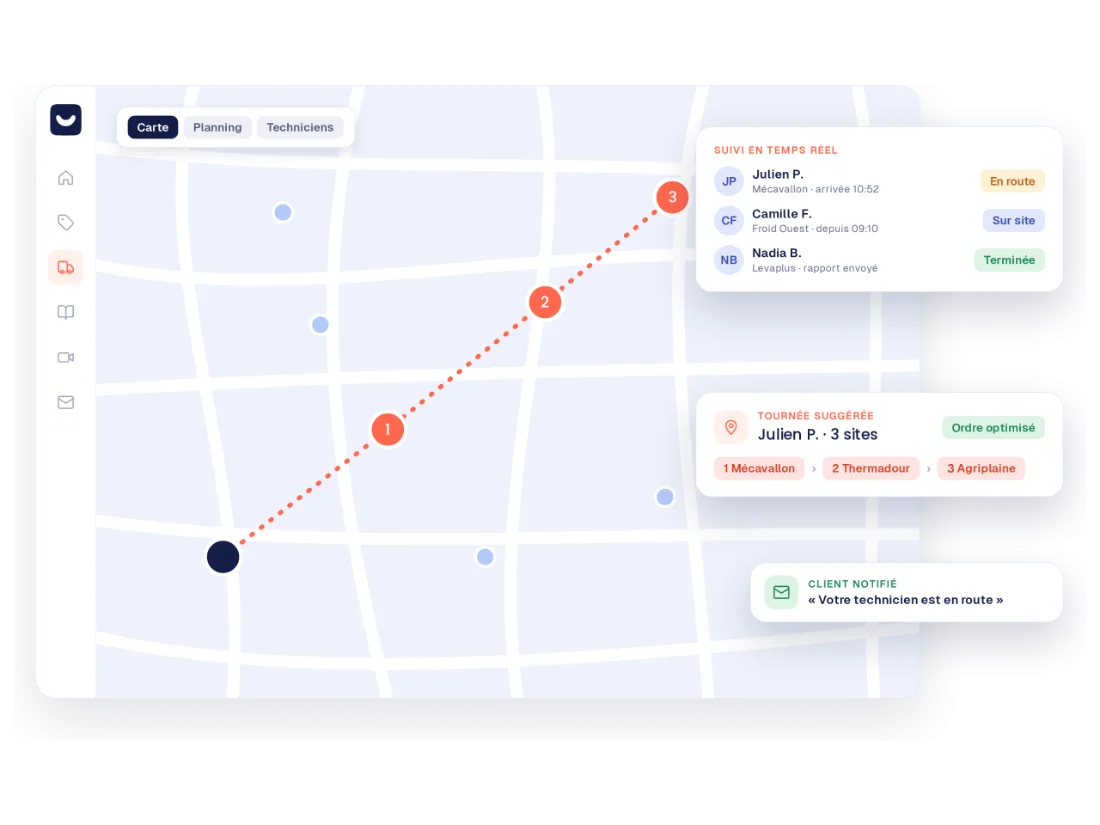
Schedule on a map
The scheduler suggests the technician based on skills and location, down to the route order. You stay in control.
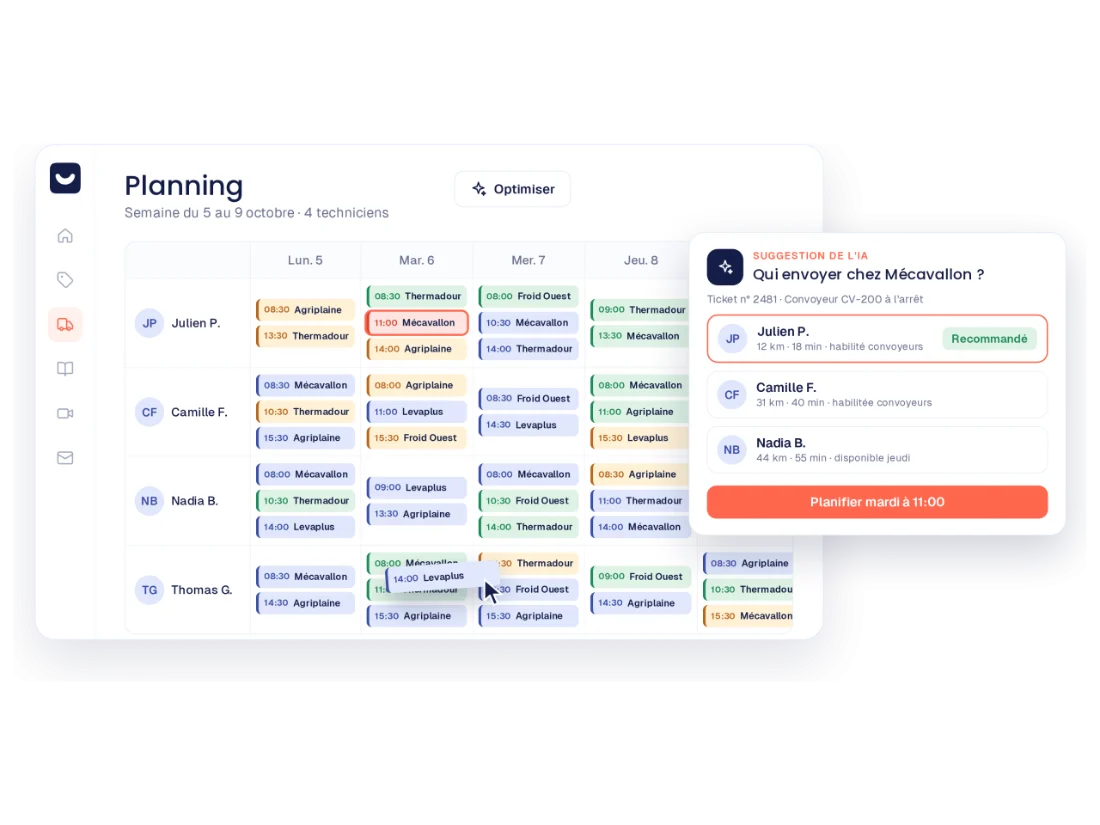
Notify everyone
The technician receives their schedule and route in the application, and the customer is notified of their arrival.
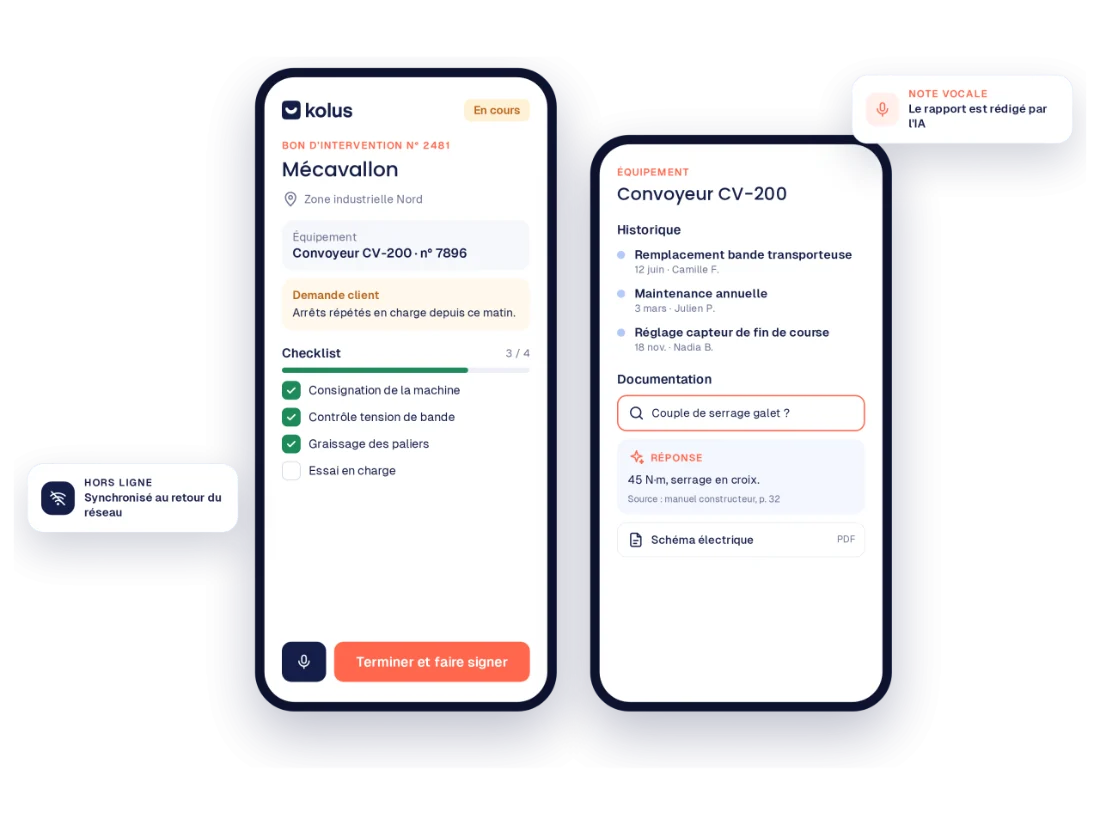
Arrive prepared
The service order provides details on the machine and its history:failures, previous service calls, and used parts. Photos, signatures, and voice notes work offline.
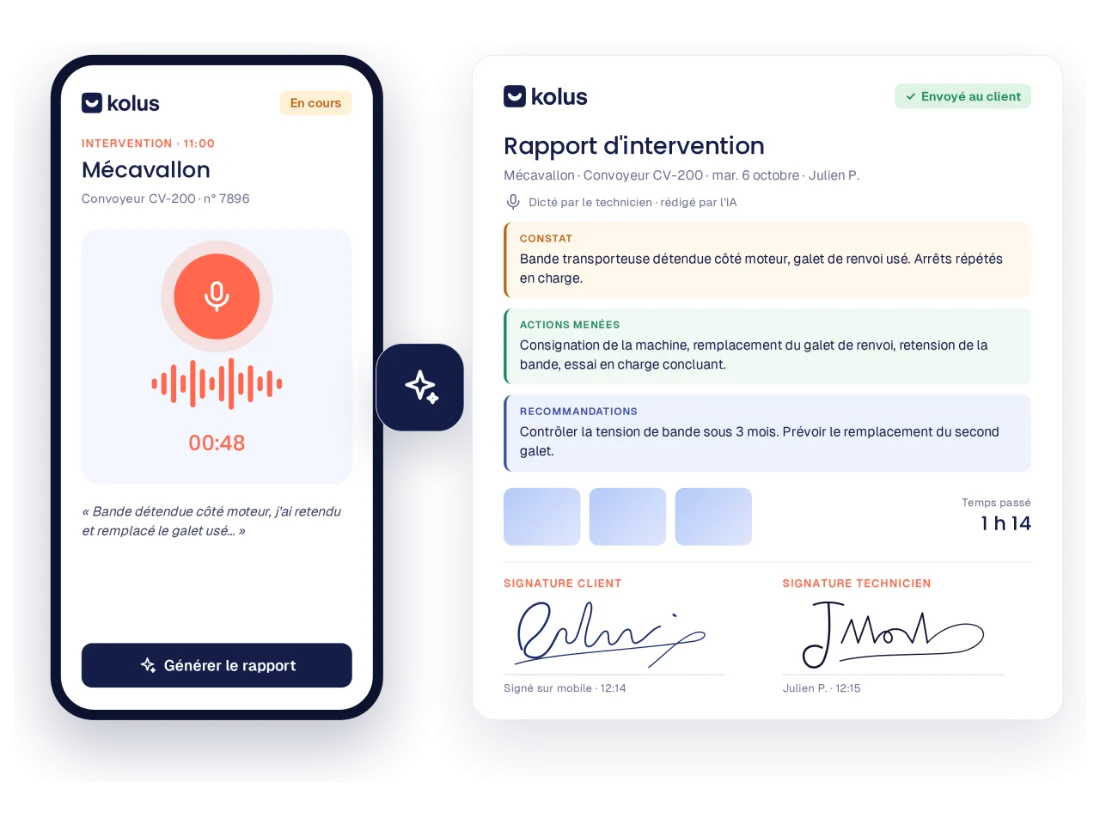
Report without writing
The technician dictates, and AI writes the report. It is sent to the customer by email and to your ERP system along with the parts used.
Field service management works on its own. Two modules can be added
Service ticketing, with video assistance
Every customer request becomes a tracked ticket linked to the machine and contract in question. Diagnosis is carried out remotely via video assistance, with a recorded session and an AI-generated report.
Knowledge management
Technical documentation and technician expertise accessible to the entire team.
Designed for teams servicing machinery
Manufacturers
Track your installed base by serial number:failures, past service calls, and parts used for each machine.
Distributors
Manage multiple brands using custom forms and dashboards for each brand, and invite the manufacturer to a ticket when needed.
Rental companies
Track regulatory inspections and contract deadlines with automated alerts for each site and piece of equipment.
Connected to your tools and implemented alongside you
Your data flows smoothly with your ERP system
The machine fleet, customers, and contacts come from the ERP. Work order reports and parts used are sent back there for billing and inventory. Kolus also connects to Gmail and Outlook.
A dedicated project manager supports you
Configuration, data migration (customers, machine park, service history), and team training until full adoption by technicians.





 and others
Frequently asked questions about field service management software
What is field service management software?
It schedules field service calls, provides technicians with useful mobile information, and generates the report. Kolus adds the machine history and voice-dictated report.
How is this different from " FSM " software?
None. " FSM" (for " Field Service Management") is the international term. " Kolus " is a software program FSM that specializes in machine after-sales service.
Can Kolus be used exclusively for service calls?
Yes. The module works on its own. You can add customer service ticketing (including video support) and knowledge management whenever you choose.
Does the app work without a network connection?
Photos, customer signatures, and voice notes work offline on iPhone and Android devices. AI writes the report once the connection is restored.
Does Kolus connect to our ERP?
Yes. Kolus connects to Sage, SAP, Odoo, Microsoft Dynamics, Business Central, Codial, and OpenProd. The equipment park and clients come from the ERP, while work order reports and parts used are sent back there.
See Kolus on one of your service calls
In 30 minutes, we start with your current schedule and walk you through the entire process of a service call:from assignment to the signed report.
30 minutes, based on one of your service calls. No commitment.