Connecting office and field:your support team and technicians share the same file
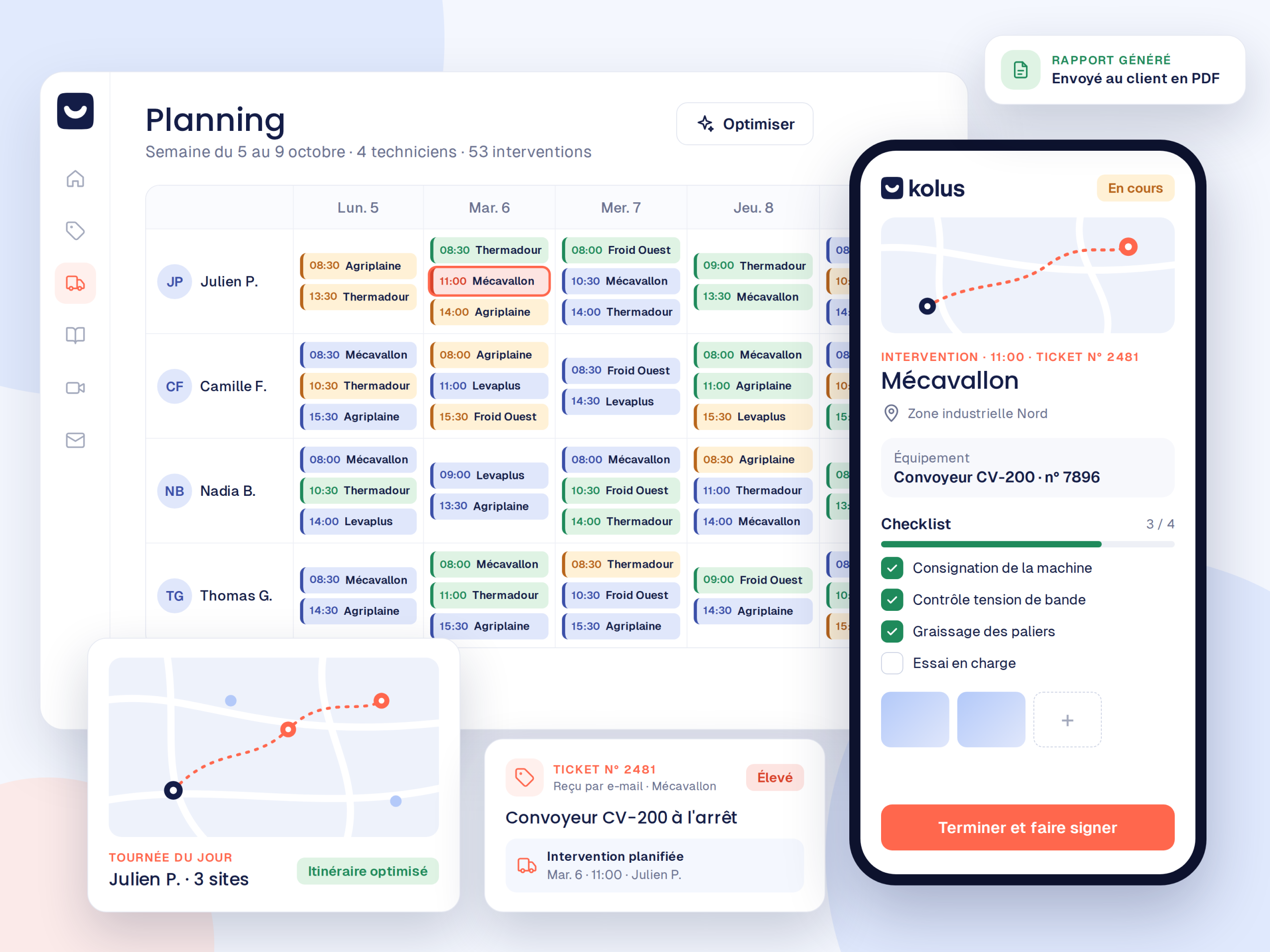
To connect the office and the field, the diagnosis made at the office is sent directly to the technician's app. Then, the technician's report returns to the office. No one has to re-enter any data.


Two worlds that rarely talk to each other
The information gap between desk support and field technicians costs time and customer satisfaction.
At the office:emails and sticky notes
Information gathered by support remains trapped in email inboxes or loose notes.
In the field:paper and uncertainty
Technicians set off with a brief work order, lacking complete history or failure photos.
Between the two:lost information
This results in poor diagnosis, wrong parts in the van, and double entry of reports upon return.
What everyone sees in real time
Each profile gets access to the data they need to take action.
At the office (Desk staff)
- Qualified and timestamped client requests
- Video diagnostic recordings and captures
- Map-based scheduling with real-time positioning
- Signed reports uploaded instantly upon service completion
In the field (Technicians)
- Daily schedules with guided GPS routes
- Complete machine history and previously replaced parts
- Failure photos captured via video before departure
- Voice-dictated reports in seconds, even offline
A seamless four-step handoff
Total continuity from ticket creation to invoicing.
Request Received
First, the ticket is created, centralized, and linked to the correct machine in Kolus.
Video diagnostic
Next, the support team confirms the error code and identifies the required parts with the customer.
Service Call Prepared
Then, the technician leaves with the right equipment and reviews the file on their mobile device.
Report Returned
Finally, the signed report goes back to the office, and the used parts are sent to the ERP system.
For the field service manager: office and field operations in the same metrics
Track your resolution rates, SLA compliance, and team activity in real time, all without chasing after paper forms.
Frequently asked questions
Do both teams need to be trained separately?
Our support program offers short, tailored modules: office training for desk staff, and an intuitive mobile app for field technicians.
Can the technician see previous communications with the customer?
Yes: the diagnosis, photos of the issue, and complete service history for the equipment are available directly on their phone.
Does the app work without a network connection?
Photos, customer signatures, and voice notes work without a network connection on iPhone and Android. AI then generates the report once connection is restored.
Does Kolus connect to our ERP?
Yes:Sage, SAP, Odoo, Microsoft Dynamics, Business Central, Codial, and OpenProd.