Video assistance: resolve remotely or prepare for field service
View the breakdown through your client's camera, then guide them live. They receive a link by text message or email:no app to install.
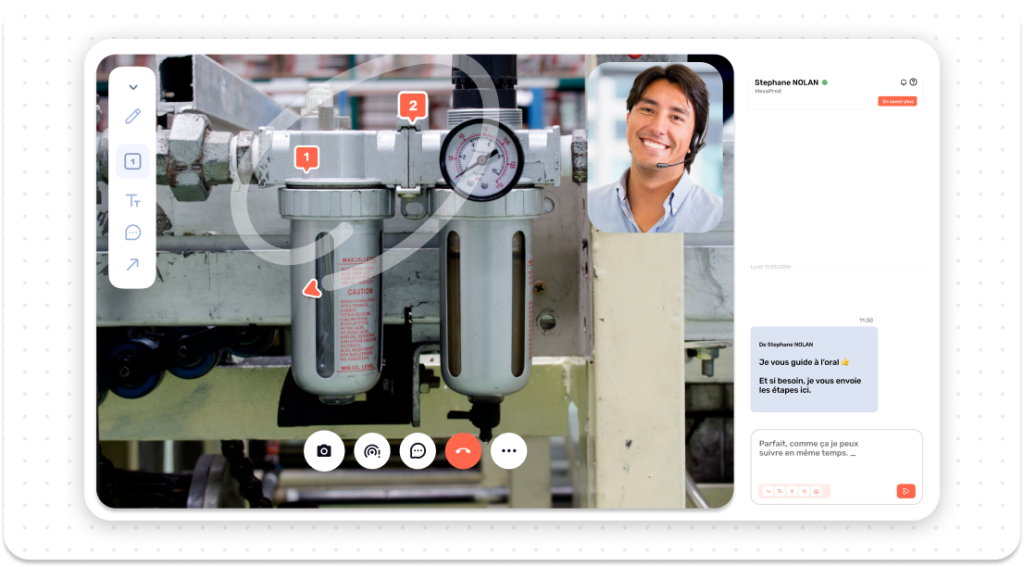
A session launched in 30 seconds flat.
A seamless support process with no technical barriers for your contact.
Send a link
By text message or email in one click. Your client then opens the link directly in their usual web browser without installing any application.
See and guide
The HD video stream starts. Your expert can then point at the screen and draw augmented reality annotations to guide the client step by step.
Keep a Record
Finally, the session is recorded and AI automatically generates a structured report with screenshots of the relevant parts.
Key features of a Kolus session.
All the tools you need to make a reliable remote technical diagnosis.
Real-Time HD Video
Smooth and optimized video stream, even with weak 4G networks in factory environments.
Annotations and Augmented Reality
Draw arrows and circles live:they stay fixed on the machine part being viewed.
High-Resolution Captures and Zoom
Take clear photos remotely to read nameplates and part numbers.
Recording and Traceability
Archive the entire assistance session, specifically for the client file and ongoing training.
AI Diagnosis and Summary
The AI suggests live checks and then automatically writes the work order report.
Real-Time Translated Chat
Instant two-way translation in over 35 languages:allowing you to assist your international clients.
Two outcomes, both profitable.
Whether it resolves the issue or prepares for a visit, every session saves both time and money.
Issue resolved immediately
The customer performs the guided procedure or reset right before your eyes. The machine is up and running again instantly, without requiring a technician visit.
Flawlessly prepared visit
The diagnosis is confirmed via video. The technician heads out to the field with the correct diagnosis and knows exactly which part to bring.
Your machines are far away, but your expertise is not.
Assist a customer or distributor on the other side of the world without dispatching a technician in an emergency. Furthermore, the chat feature automatically translates every message into the local language to overcome any communication barriers.
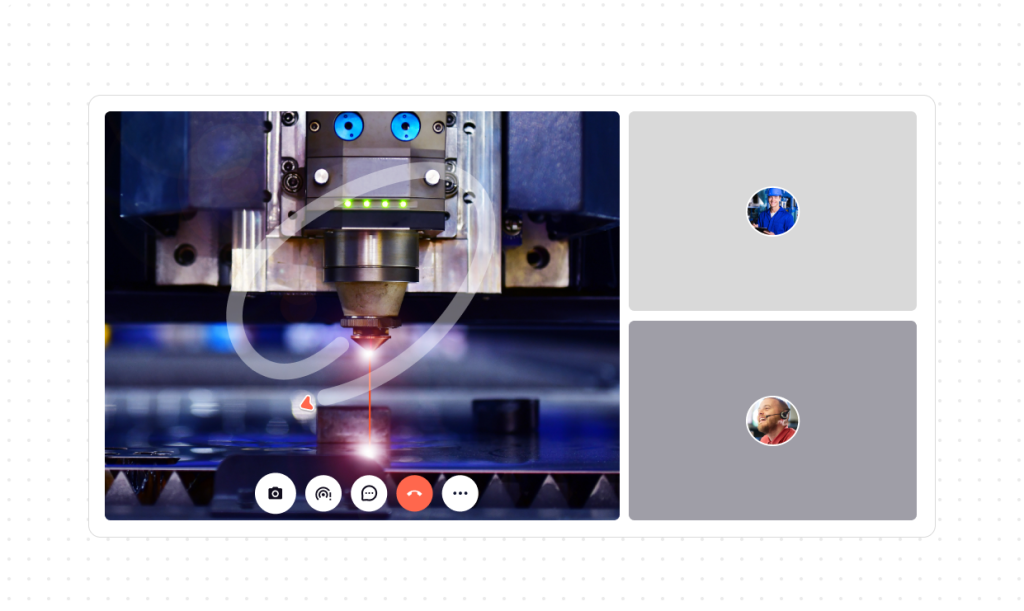
Video assistance is part of service ticketing
Each session originates from a customer request and keeps a record of it. Consequently, the recording, transcription, and AI-generated summary remain in the ticket for the technician to review before departure.
Frequently asked questions
What is video assistance?
It allows your technical support team to remotely activate your customer's smartphone camera to make a visual diagnosis, then guide them using on-screen annotations.
Is video assistance included in ticketing?
Yes. Video assistance is part of the Service ticketing module. Your team sends a link to the customer via SMS or email, views the machine live, and then finds the recording, transcription and AI-generated summary in the ticket.
Does my customer need to install an app?
No. They simply receive a link via text message or email, which opens the session directly in their mobile browser.
Are the sessions recorded?
Yes. The video and screenshots are archived. Afterwards, the AI automatically generates a structured diagnostic report.
Does this work with international customers?
Yes. The built-in chat instantly translates conversations into more than 35 languages to eliminate any communication difficulties.
How is this different from a standard video call like WhatsApp or Teams?
WhatsApp does not allow you to point or draw on the machine, saves nothing to the equipment record, and produces no automatic work order report.