Service ticketing software:every client request becomes a tracked ticket
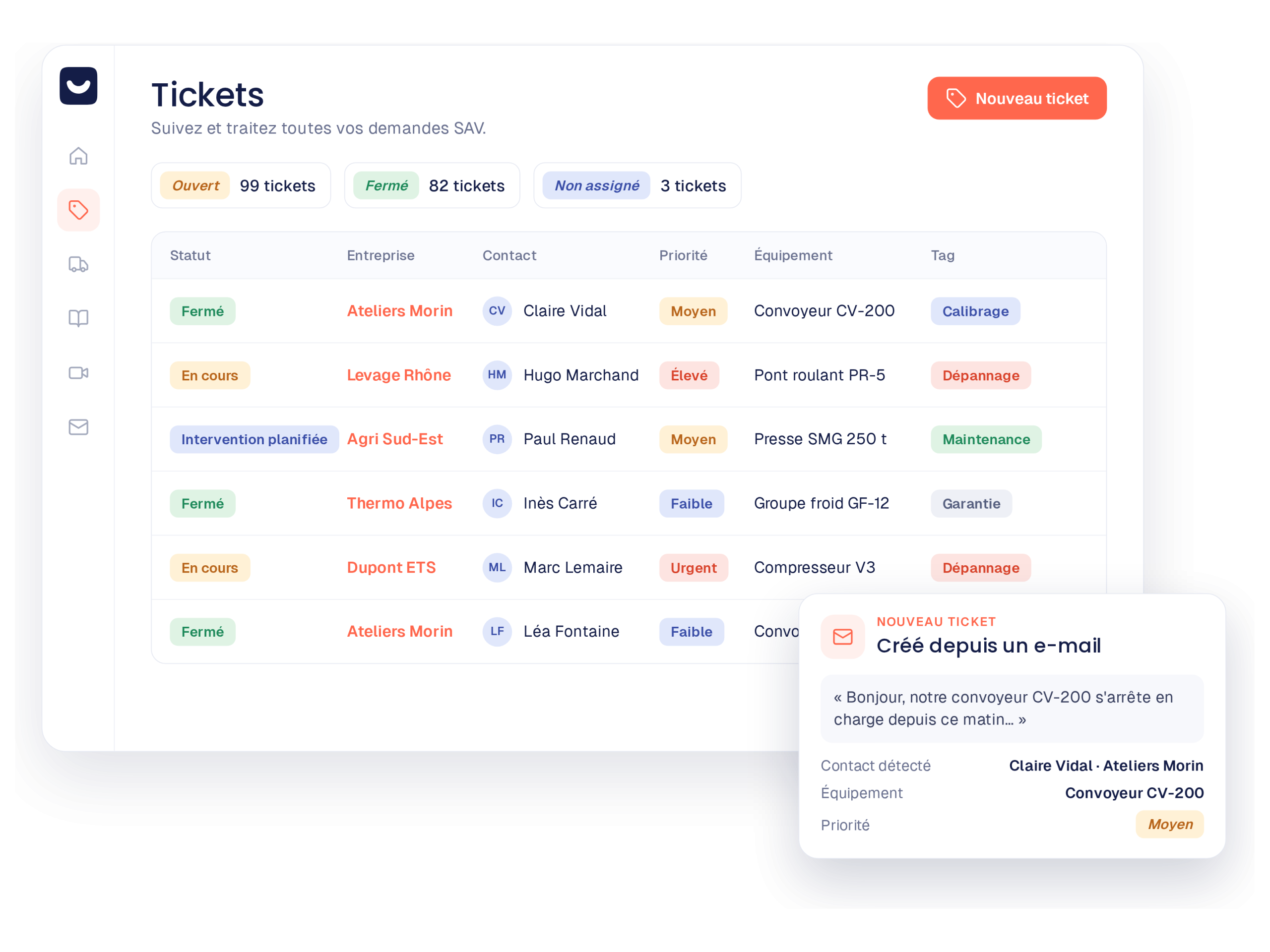
Emails, calls and forms become tracked tickets. This way, the entire conversation and attachments are linked to the relevant machine and its history. And with video assistance included, you see the breakdown before dispatching anyone.
A daily routine you know well.
Without a dedicated tool, field service requests create bottlenecks and lead to the loss of critical information.
Requests getting lost in individual email inboxes.
No one knows exactly who is handling what, or since when.
Shared Excel files that have become heavy and quickly illegible.
Impossible to measure failure volumes and response times.
No matter the channel, no request gets lost.
You thus centralize all your incoming flows in a shared and intelligent inbox.
By email
One click turns the email into a ticket. Next, the AI reads it and extracts the machine model, the client, and the nature of the breakdown. Compatible with Gmail and Outlook.
Gmail & Outlook integrations →By phone
During or after a call, your support technician first opens the client file, then creates the ticket in a few seconds with the history right in front of them.
Quick hotline entry →By form
Your client first describes their request step by step, then identifies their machine and attaches their photos without needing to create an account. The ticket therefore arrives pre-qualified.
Smart forms →A ticket, not a simple case number.
Each ticket gathers all the technical context in order to resolve issues faster.
All customer conversations and attachments
The machine in question and its complete history
Status, priority, and assigned person
Participants: customer, support, field, field service
Timestamped actions: who did what and when
Ticket fields and statuses also adapt to your industrial processes.
See the breakdown before dispatching a technician
Directly from the ticket, your team sends a link to the customer via SMS or email. The customer then shows their machine on video: your team sees the breakdown live and makes a decision. Either the issue is resolved remotely, or the technician leaves with the right diagnosis. During the session, your team also keeps its technical support tools: image annotations, high-resolution screenshots, and translated chat. Afterwards, everything stays in the ticket: the session recording, its transcription, and the AI-generated summary.
Discover video assistance →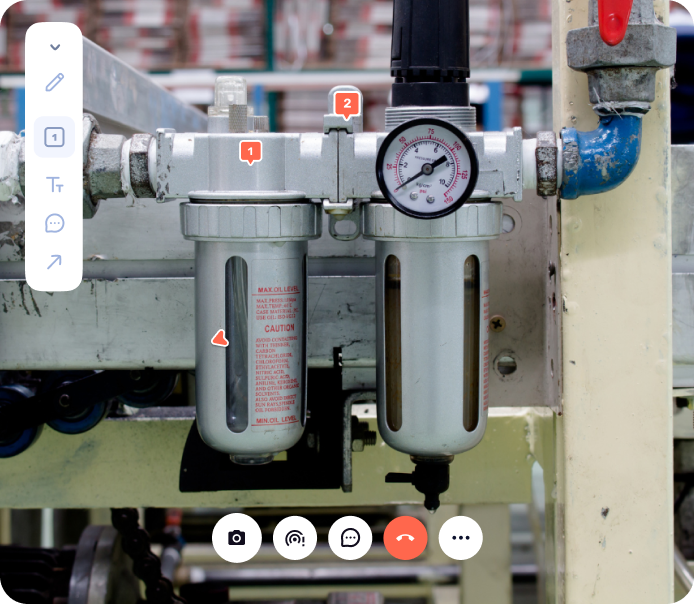
A clear vision for every field service stakeholder.
Immediate gains for your internal teams and your end customers.
No more lost requests
A single entry point, clear priorities, and response templates to handle requests without stress.
Complete context before leaving
The diagnosis done beforehand, photos of the breakdown, and replacement parts identified right from the office.
Live workload management
Open ticket volume, average resolution time, and service level tracking to forecast resources.
Reassuring traceability
Invited to the ticket by email or SMS, they can track the progress of their request live without having to follow up by phone.
Already have a tool to schedule your service calls? Keep it.
Kolus ticketing operates completely independently. It is added alongside your existing field management software to give your support team what it was missing.
Your machine and customer profiles synchronized from your ERP
Each ticket is automatically linked to the correct machine and its serial number through the native connection with your management tool.





Service ticketing or general support tool?
Why e-commerce support tools are not suitable for industrial machines.
| General-purpose support tool | Kolus ticketing |
|---|---|
| Does not know your machines or installed base. | Each ticket is linked to a machine and its complete history. |
| Stops at inbox management. | Tracks the request through to the field service and the approved report. |
| Designed for online retail and software publishers. | Designed for machine manufacturers, distributors, and rental companies. |
| View the customer's machine on video:no. | See the customer's machine on video: yes, video assistance included. |
Frequently asked questions
What is service ticketing software?
It turns every client request into a ticket with a status, an assignee, and the complete history of exchanges. Kolus also links the equipment and its serial number to it.
Can the ticketing module be used on its own?
Yes. The ticketing module works entirely independently. It integrates alongside your existing scheduling tool if you have one.
Is video assistance included in ticketing?
Yes. Video assistance is part of the Service ticketing module. Your team sends a link to the customer via SMS or email, views the machine live, and then finds the recording, transcription and AI-generated summary in the ticket.
How does your customer track their request?
They are invited to the ticket via SMS or email without needing to create a password. They can then check the progress and communicate directly with your support team.
Does it work with Gmail and Outlook?
Yes. An email converts into a ticket with a single click. All replies in the conversation are then automatically gathered in the correct folder.
What is the difference compared to a traditional customer support tool?
A traditional tool handles text-based complaints. In contrast, Kolus connects the ticket to the industrial machine, its spare parts, and then the field service call that resolves the breakdown.