Service scheduling:the right technician, at the right time, in the right place
All your service calls appear on a map and a calendar. Then, Kolus suggests the technician and time slot based on skills and location. However, you always remain in control.
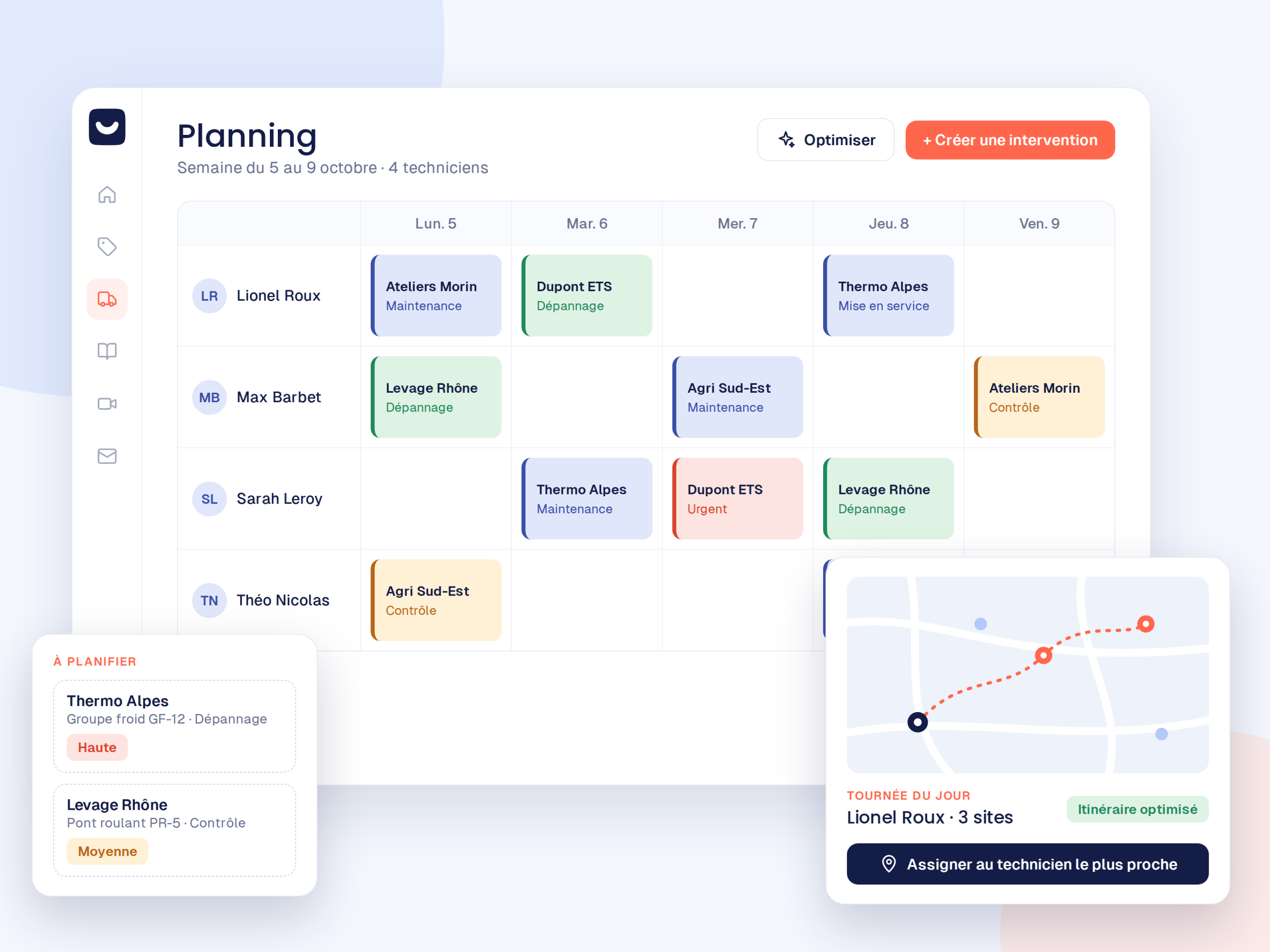
You choose the level of assistance.
For your service schedule, Kolus gives you the choice between simple manual assignment and assisted suggestions.
By Hand
You select the technician and time slot yourself with a simple drag and drop on the calendar or map. It is quick and simple, making it ideal for those who want to organize without constraints.
With Suggestions
Kolus analyzes the required skills, geolocation, travel times, and availability, then suggests a suitable time slot and technician. You then approve it with a single click.
A clear view of all your field operations.
Every piece of information is accessible in real time, helping you better organize your teams' travel.
The Map View
All service calls to be scheduled appear on a map:allowing you to group nearby ones together.
Suggested Routes
Kolus suggests an order of visits to reduce mileage and travel times.
Synchronized Calendars
Instant visibility:who is available, who is on a service call, and who can handle an urgent repair.
Real-time Tracking
En route, on-site, completed:the office tracks progress without making phone calls, and the client is also notified automatically.
Once scheduled, the service call is already in their pocket.
Zero transmission delay between office assignment and field handling.
You Schedule
First, the service call is assigned to the technician from the office in a few seconds.
They receive their work order
Next, the technician sees the service call appear on their mobile application in real time.
They head out
Finally, the GPS route opens directly in Waze, Google Maps, or their navigation app.
Kolus Schedule or Excel Schedule?
Move from a static board to responsive and collaborative management.
| Excel schedule | Kolus Schedule |
|---|---|
| A static file that everyone modifies on their own, creating a risk of duplicates. | A shared collaborative schedule that is accessible and up to date in real time for everyone. |
| No map view, making it impossible to group by sector. | The interactive map and suggested routes to limit mileage. |
| The technician must call the office every morning to find out their route. | The technician finds their entire day directly on their smartphone. |
Only schedule service calls that require an on-site visit.
With Kolus service ticketing and its included video assistance, customer requests are qualified first, and a remote pre-diagnosis is attempted before scheduling a time slot. This way, the technician knows why they are leaving and which parts to bring.
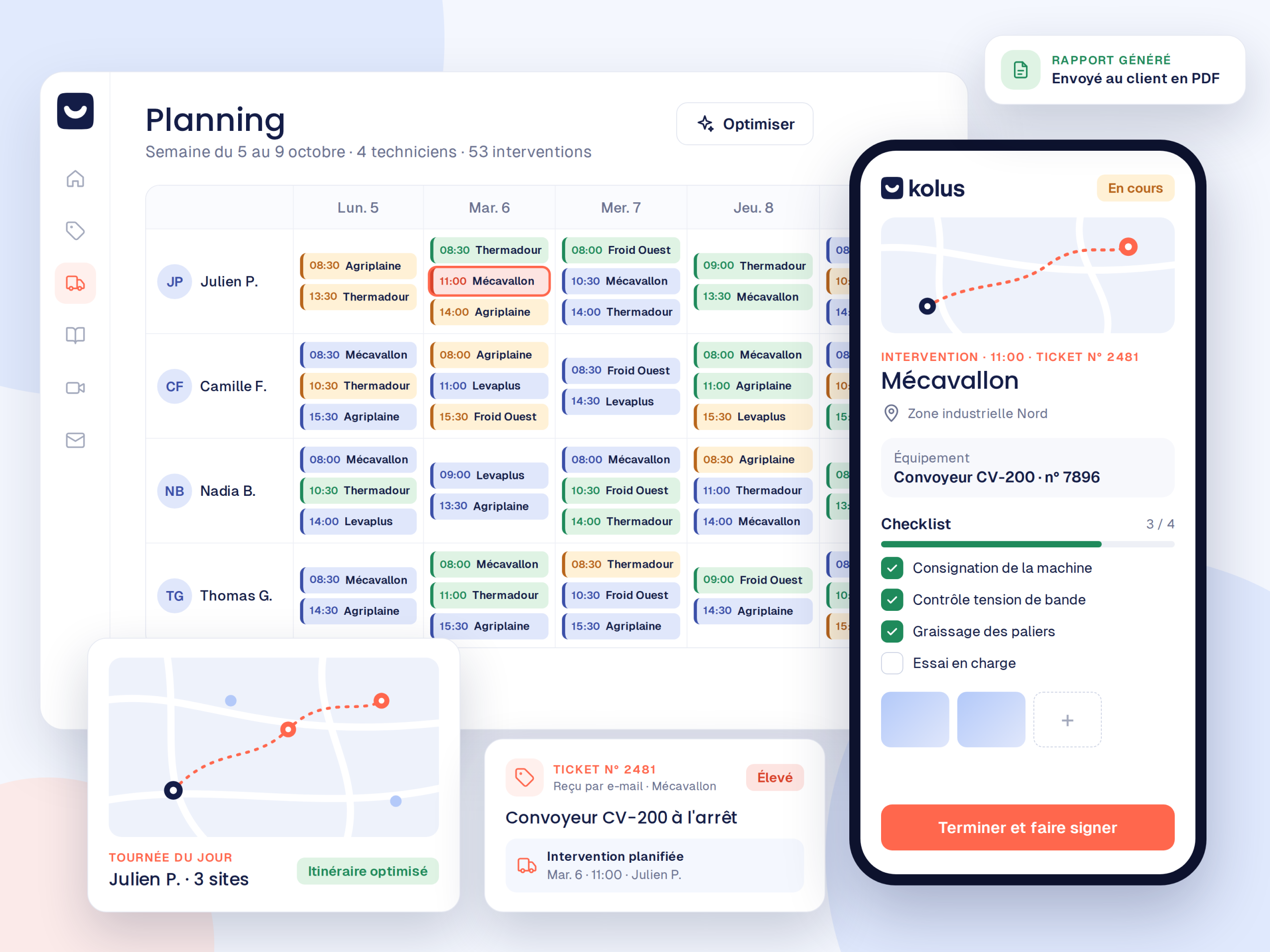
Connected to your management software
Clients and machine inventory flow from your ERP into Kolus in real time. Reports and consumed parts are then sent back as soon as the service call is complete.





Frequently asked questions
How to create a service schedule?
In Kolus, you assign each service call to a technician and time slot directly on the map or calendar, manually or using automatic suggestions.
What software to use to manage a team of technicians' schedules?
For example, a specialized " FSM " tool such as Kolus takes into account each technician's technical skills, location, and availability, with real-time updates.
Can you schedule without using automatic suggestions?
Yes. Full manual mode remains available at any time if you prefer to organize your service calls freely without algorithm intervention.
What is the difference compared to an Excel schedule?
A shared schedule updates in real time, integrates mapping, and notifies the technician on their mobile device. In contrast, an Excel file remains static, isolated, and a source of recurring errors.
Is the schedule connected to our ERP?
Yes. Customer profiles and machine fleets come from your ERP, and work order reports and consumed parts are sent back there after each field visit.