Smart forms:receive pre-qualified field service requests
Your client identifies their machine, describes the breakdown step by step, and attaches photos without creating an account. The ticket therefore arrives complete and reaches the right person.
"The machine stopped working."
The typical message received by support on a Monday morning without any technical details.
No serial number, no photo.
It is then impossible to know which exact model is concerned or to identify the broken component.
Back-and-forth emails.
It takes several days and multiple messages to gather the information essential for taking action.
A bounced request.
The client is passed from one person to another because the request was not routed correctly from the start.
Four steps, and the request is qualified.
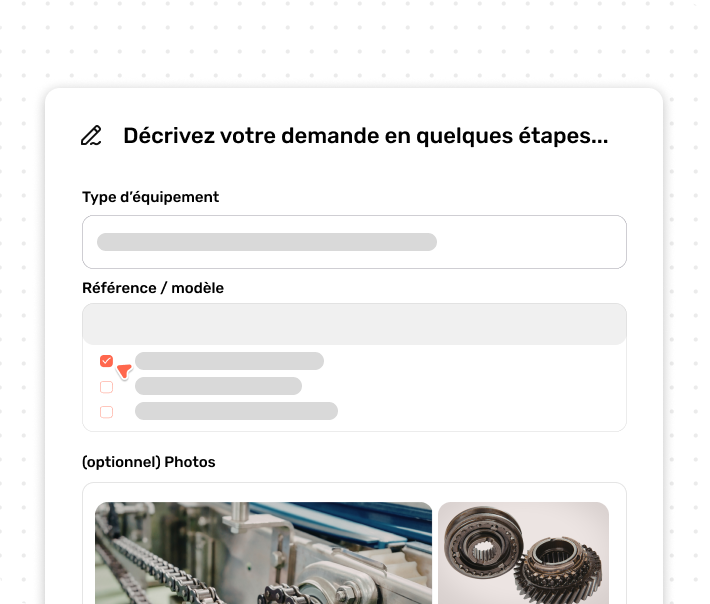
An interactive form accessible on a smartphone or PC, with no passwords to remember.
The client identifies their machine.
First, they scan the QR code located on the equipment or enter the serial number. No account creation is required.
They describe the breakdown
Next, targeted questions adapt to the type of issue, with the mandatory addition of photos or videos of the problem.
They look for the answer
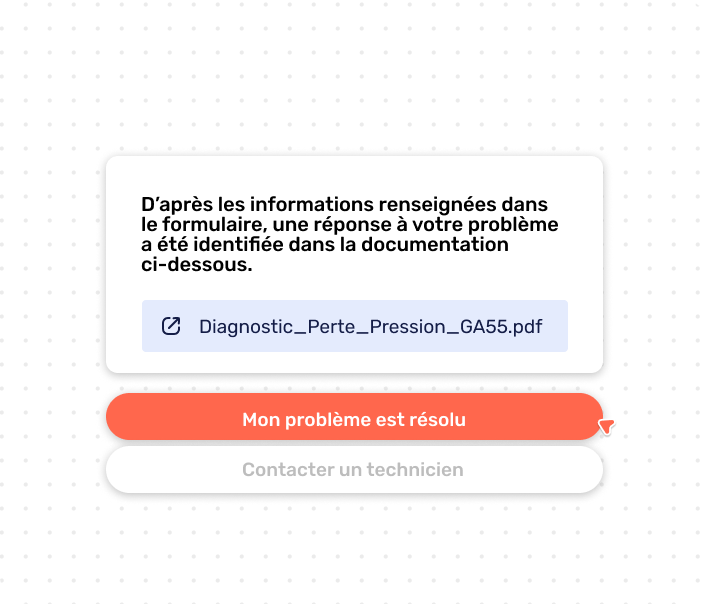
Then, AI-powered search scans the manuals and technical sheets you make available to them. Simple issues are therefore resolved here without creating a ticket.
Otherwise, the ticket is sent
Finally, the complete and structured ticket is sent with all entered data and routed to the appropriate technician.
The right ticket for the right person.
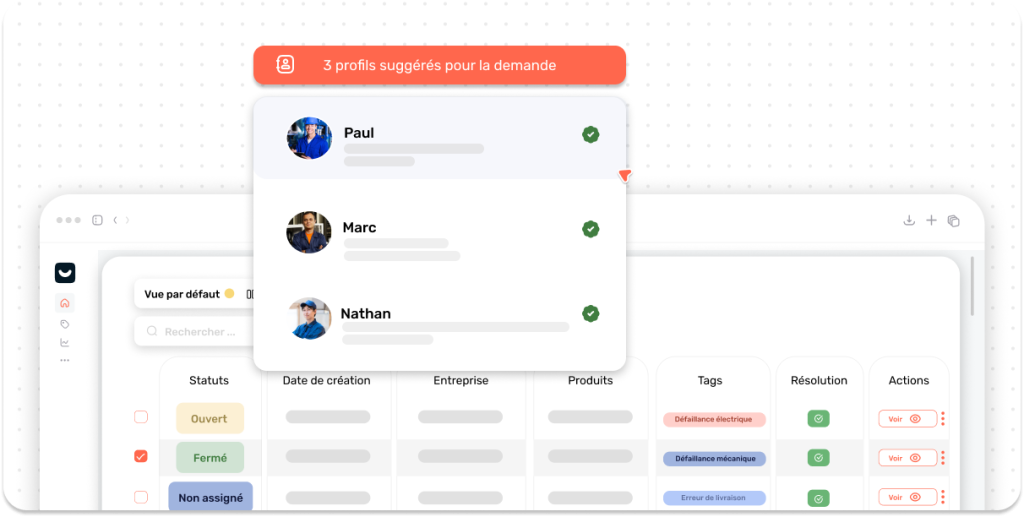
Each ticket is automatically routed based on factors such as equipment type, geographical area, nature of the incident, or your own business rules.
What your organization gains.
Real time savings for your hotline support and your field teams.
Fewer back-and-forth exchanges
All useful information, such as serial numbers, photos, and descriptions, is right there from the very first notification.
Faster diagnosis
Structured and visual data allows your hotline experts to make an immediate diagnosis.
Better prepared service calls
The technician knows the machine, the exact symptom, and prepares potential spare parts before heading out.
Reduced support load
Recurring questions find their answers directly in the provided documentation.
Simple configuration that is entirely in your hands
Each form adapts to your equipment, processes, and diagnostic needs, without requiring development skills.
How forms work together with Kolus.
An integrated building block that also communicates with the platform's other modules.
Service ticketing
Forms are a direct option:each validation therefore creates a ticket with the complete history.
Discover Service ticketing →Knowledge management
It gives your client access to technical sheets to resolve common issues independently before opening a ticket.
View knowledge management →Ticketing video assistance
If the request remains complex or ambiguous, support then launches a live video session directly from the ticket to guide the client.
Explore video assistance →Frequently asked questions
Short answers on Kolus smart forms.
Where does your client find the form?
For example, by scanning the QR code placed on their machine, or via a direct link provided on your website or by email.
Do they need to create an account to make a request?
No. The client fills out the form directly without any password or prior profile creation.
Where do the QR codes come from?
You generate and download them directly from Kolus, one per machine, and then print and attach them to your equipment.
Can the forms be adapted to our machines?
Yes. The fields, questions, and mandatory photos can be customized by equipment type and failure category.
Is Kolus service ticketing mandatory?
Yes, forms are an option in the service ticketing module. However, knowledge management remains optional.