Already have a service scheduling tool? Keep it.
Kolus thus adds what happens before the dispatch:the client's request, remote diagnostics, and your experts' knowledge, without changing your habits.
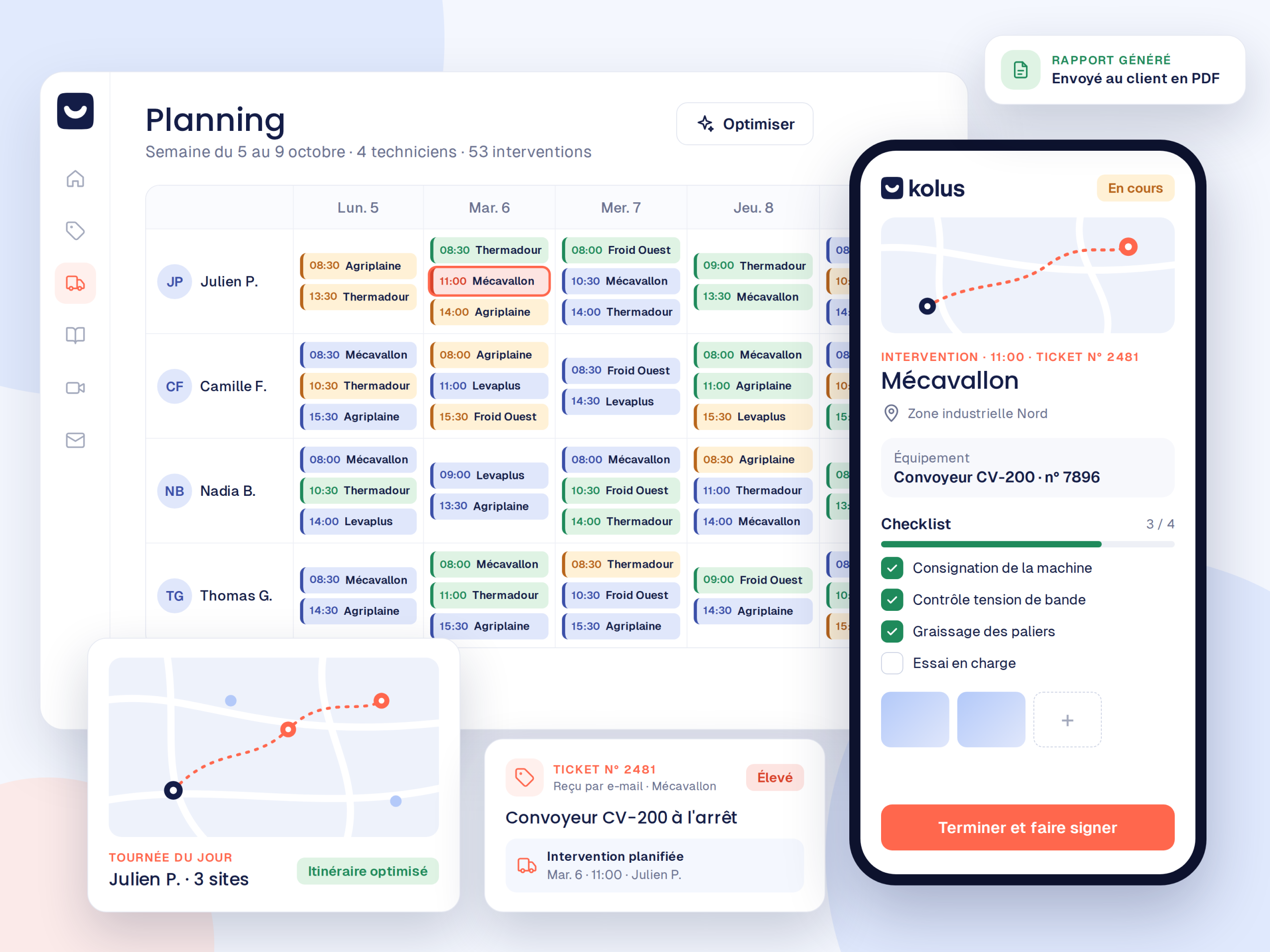


What Your Tool Does, and What It Doesn't Do
Your service schedule is in place, but the upstream phase often remains without software support.
What it does very well
- Scheduling time slots and technician routes
- Tracking the progress of service calls in the field
- Generating and collecting signatures for end-of-mission reports
What it leaves out
- Client requests arriving by email or phone without qualification
- Breakdowns that no one sees or diagnoses before departure
- The technical knowledge of experts trapped in a few heads
Two modules to add based on your needs
For example, you can activate a single module, or both, without disrupting your existing schedule.
Service ticketing and video assistance
Each request becomes a tracked ticket. Your customer and your teams thus share the same communication thread. With video assistance included, you also see the breakdown through the customer's smartphone before sending a technician out on the road.
Knowledge management
Your technicians dictate their feedback, and the AI drafts the technical sheets for your manager to review.
What does not change for your teams
Your technicians keep their usual mobile application:your schedule remains the same:no complex data to migrate.
How do the two work together?
Your ERP serves as the central hub:Kolus sends qualified requests and recommended parts there, and your scheduling tool retrieves them automatically.





What if you want to bring everything together one day? The Kolus field service management module is ready whenever you decide.
Frequently asked questions
Essential answers regarding the complementarity of Kolus with your scheduling tool.
Do I need to replace my current scheduling tool?
No. Kolus actually works upstream for service ticketing (video assistance included) and knowledge capitalization, without touching your scheduling tool.
Can we choose just a single module?
Yes. Each module operates independently according to your priorities:for example, service ticketing, video assistance included, or knowledge management.
Do my customers need to install an application?
No. They receive a secure link by text message or email, and then join the video call or ticket thread directly from their browser.
Does Kolus connect to our ERP?
Yes:Sage, SAP, Odoo, Microsoft Dynamics, Codial, and OpenProd. Your equipment fleets, customers, and history are synchronized.
How does data flow back into our schedule?
Qualified requests in Kolus are then automatically forwarded to your existing scheduling tool or via your ERP without any duplicate data entry.