Field service management software:schedule, intervene, report
From scheduling to the signed report, your field service calls are prepared, tracked, and sent back to your ERP. Kolus is thus designed for machine manufacturers, distributors, and rental companies.
It is, therefore, a software program called " FSM " (Field Service Management) designed for machine field service.
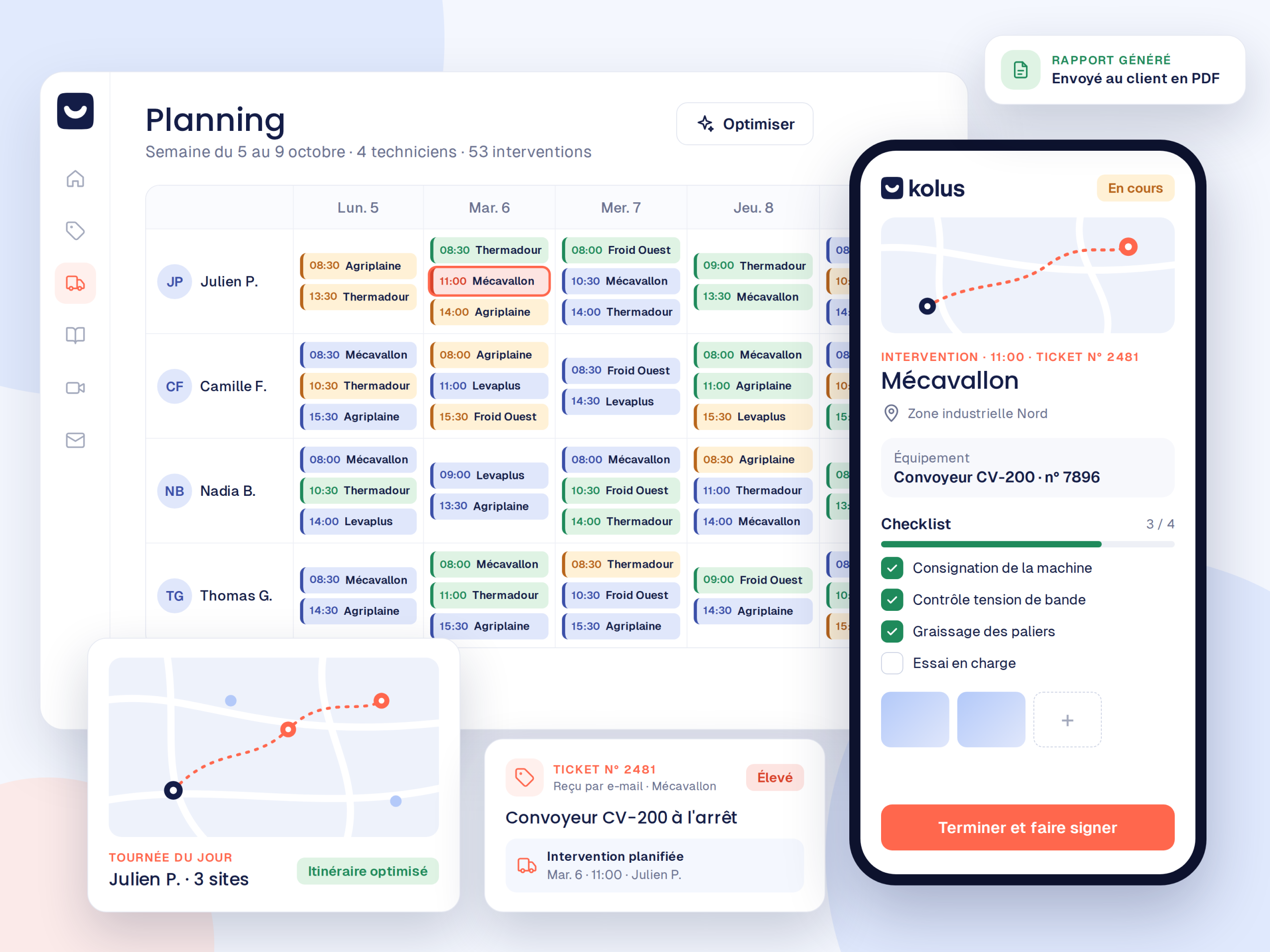


From planning to reporting:no need to re-enter data.
Each step feeds into the next, eliminating data loss between the office and the field.
Plan
- Map and schedule view for the entire field team.
- Assignment suggestions based on skills and location, or manual scheduling.
- Emergencies and unexpected events can be reassigned in real time.
Execute
- Complete work order:client details, machine information, and required parts.
- Access to machine history and technical documentation.
- Photos, customer signatures, and voice notes:all available offline.
Report
- Voice-dictated reports compiled by AI.
- Timestamped photos, replaced parts, and on-site signatures.
- Direct delivery to customers by email, either automatically or after manual validation.
Your technicians dictate, and AI drafts the work order report.
A voice note at the end of the service call is all it takes. The resulting report is structured: observed problem, identified cause, actions taken, parts used, and future recommendations.
See how the mobile app works →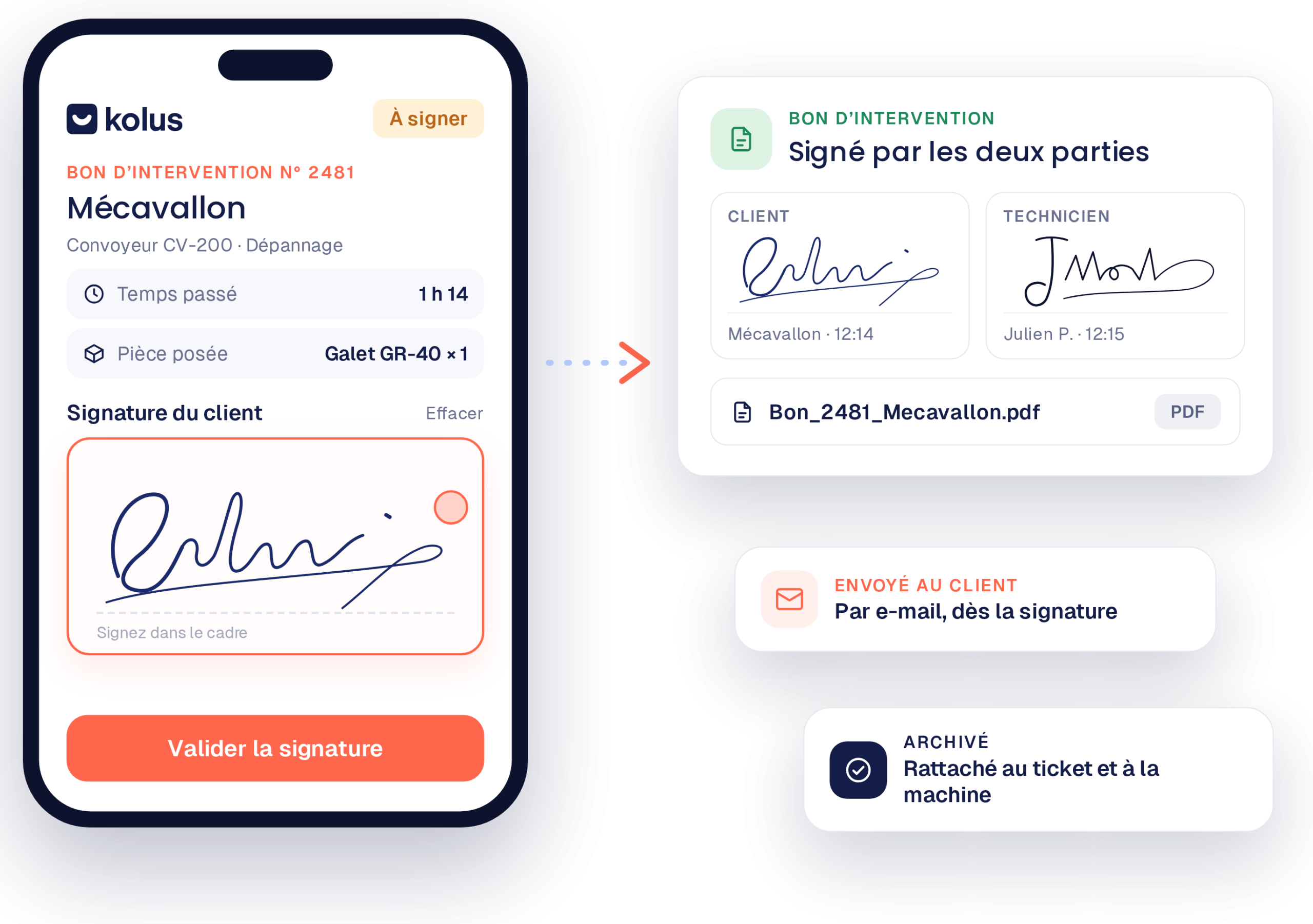
What changes compared to paper and Excel
Move from manual processes to seamless industrial traceability.
| Paper and Excel | With Kolus |
|---|---|
| Illegible or misplaced work orders, or ones half-filled out at the end of the week. | Clear, signed, and instantly archived digital work orders and reports. |
| No reliable history: who intervened, when, and on which component? | A complete and centralized history of every machine, accessible anywhere. |
| A static Excel schedule that handles neither emergencies nor mapping. | An interactive map-based schedule, reassigned in real time according to routes. |
| Technicians overwhelmed by administrative tasks in the evening. | Technicians focused on their technical work, as voice recognition writes the report. |
Your service calls feed invoicing and inventory.
Kolus integrates with your management software to ensure information flows in both directions.
Installed base and clients
Client files, models, serial numbers, and spare parts lists synchronize in real time.
Reports and consumption
Time spent, signed reports, and parts used automatically sync up to trigger invoicing.
Field service management works on its own, and goes further with the rest.
Activate just what you need today, then scale your field service at your own pace.
With service ticketing
The technician can then find all the diagnostic details and discussions handled by the office directly in their work order before leaving.
With ticketing video assistance
Annotated photos and captures from the preliminary video call are also integrated directly into the technician's service file.
With knowledge management
Each validated report enriches the database:allowing the AI to draw on previously validated solutions to help the next technician on a service call.
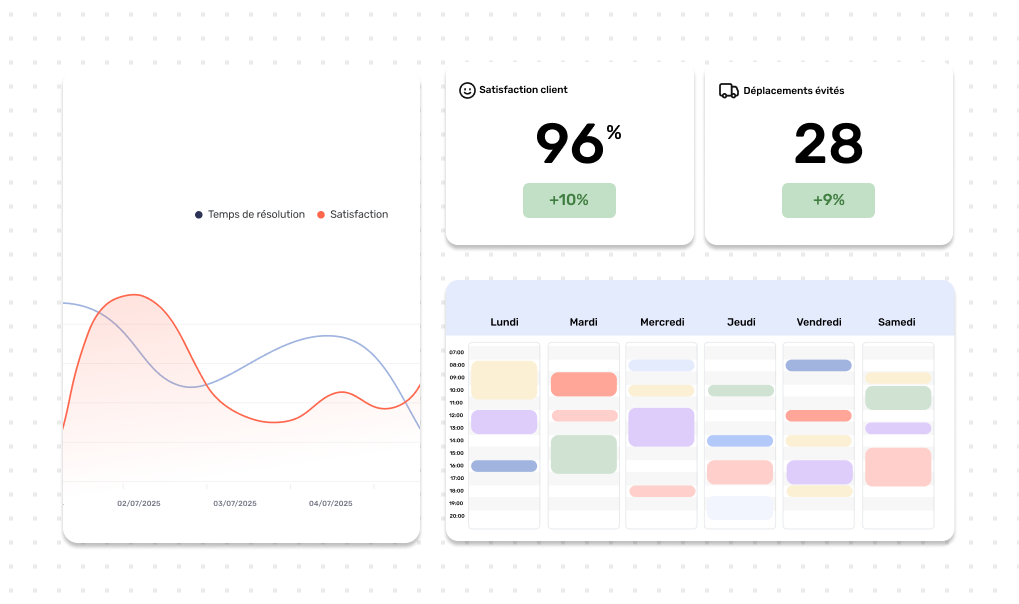
Manage your field operations in real time
All of your team's metrics are automatically updated from the mobile app. No more manual data entry at the end of the month.
A dedicated project manager until your technicians are fully up and running.
Tailored support to ensure field adoption from the very first rounds.
Scoping
Configuration
Training
Deployment
Frequently asked questions
Short answers on Kolus field service management.
What is field service management software?
It schedules field service calls, gives the technician useful information on mobile, and then generates the report. Kolus also adds the complete history for each machine and AI-assisted report writing from a simple voice note.
Can Kolus be used exclusively for service calls?
Yes. The field service module operates 100% independently. Service ticketing (video assistance included) and knowledge management can be activated afterwards whenever you decide.
Does Kolus replace our ERP?
No. Kolus connects to your existing ERP, meaning machine fleets and customer data flow down into Kolus in real time, while approved reports, time spent, and consumed parts are automatically sent back to the ERP for billing.
Does the app work without a network connection?
Yes, on iPhone and Android. In areas with no signal, the technician can take photos, get customer signatures, and record voice notes. This data is then synchronized as soon as the connection is restored.
How is this different from a CMMS?
Kolus is not a CMMS and does not replace one. A CMMS manages the internal preventive maintenance of a factory’s equipment fleet. In contrast, Kolus is an field service and FSM solution designed for manufacturers and distributors to handle customer requests and manage field service calls.
What is the difference between a " FSM " software program and a service management software program?
None. " FSM" (short for " Field Service Management") is the international term. " Kolus " is therefore a software program FSM that specializes in machine field service.